SSH, in one native window.
Connect, move files, forward ports, remote desktop, ask the assistant — one window. Fast start, quiet at idle, MCP for outside agents.
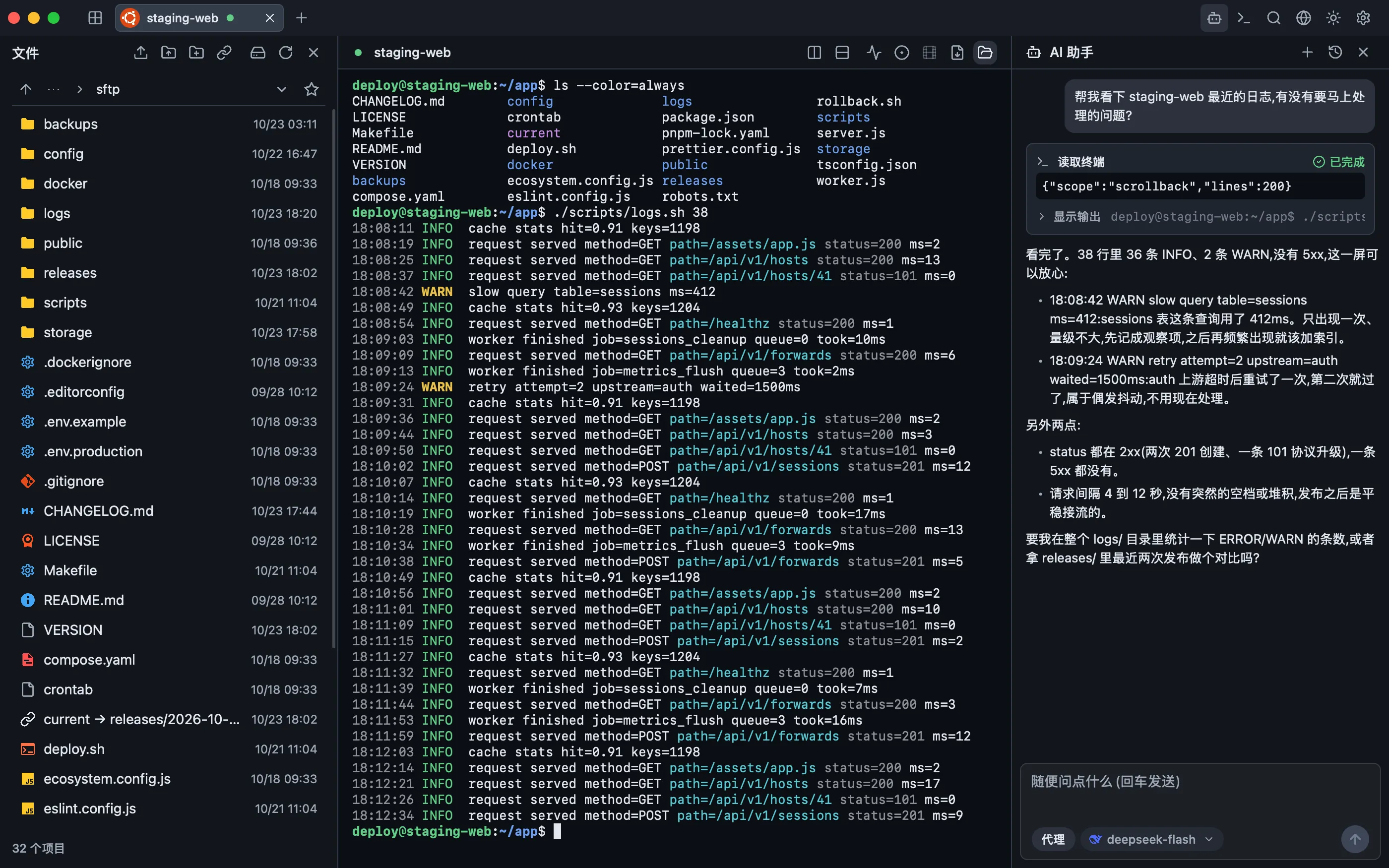
Everything for a session
A terminal that keeps up
Real PTY sessions, true colour, 5,000 lines of scrollback, inline images, splits, search and recording.
Hosts and authentication
Host keys are verified before any credential is sent. Agent, key, password and one-time codes, with an encrypted vault.
Files without another app
SFTP with a resumable queue, atomic replacement and a built-in editor. SCP fallback, ZMODEM and XMODEM/YMODEM.
Forwarding and jump chains
Local, remote, SOCKS5 and HTTP CONNECT rules. Every jump hop is verified on its own. X11 forwarding included.
Remote desktops
VNC and RDP in a tab, with certificate pinning and an optional hop through SSH when the server only listens on loopback.
Assistant and MCP
Ask or Agent mode with a risk-classified approval gate. An optional, loopback-only MCP server for external agents.
What it looks like running
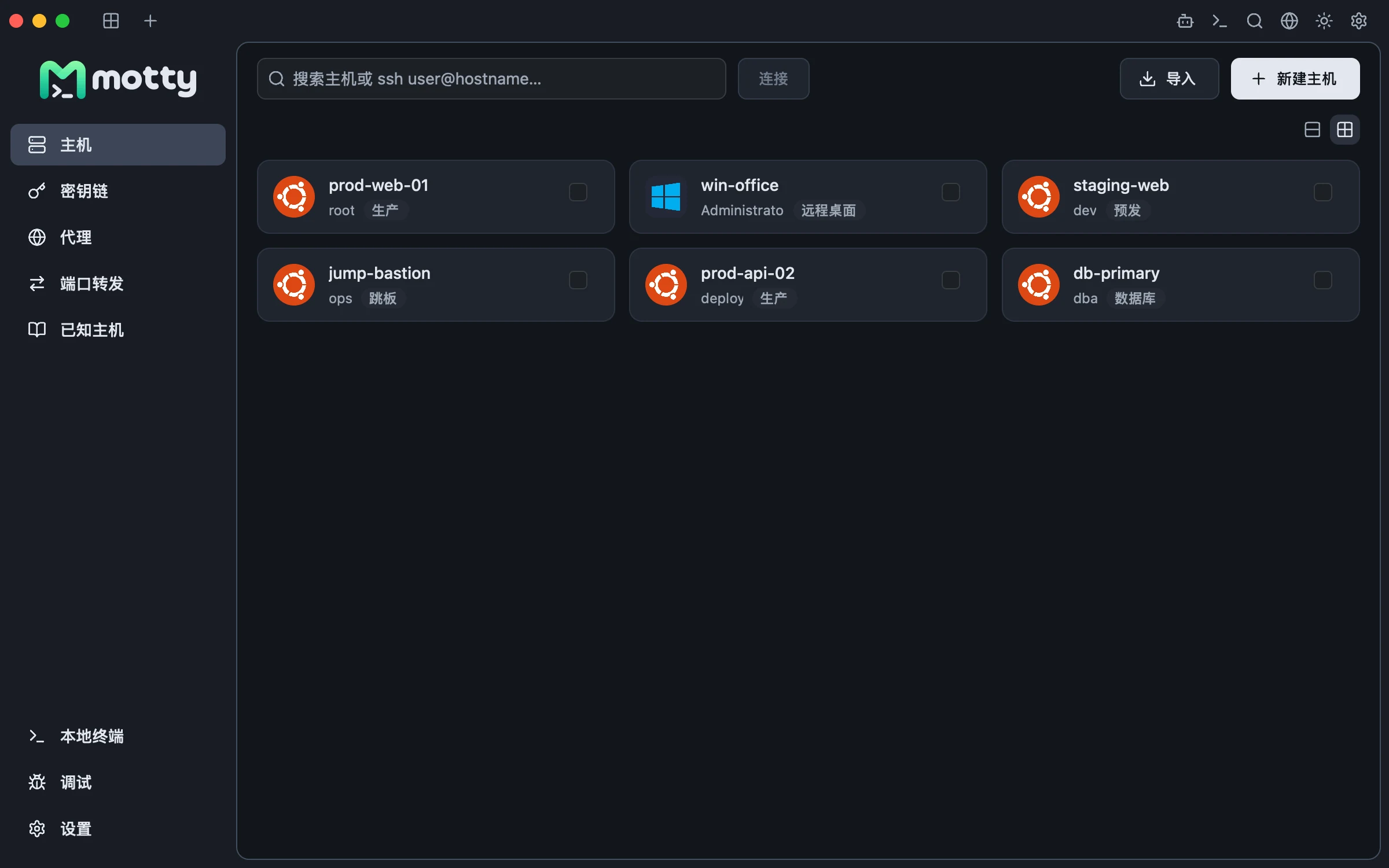
Hosts, groups and tags on one screen
Production, staging, bastions and databases each in their own group, tagged by environment. Type a name to connect; the icon follows the remote system, so a Windows box is obvious without labelling it.
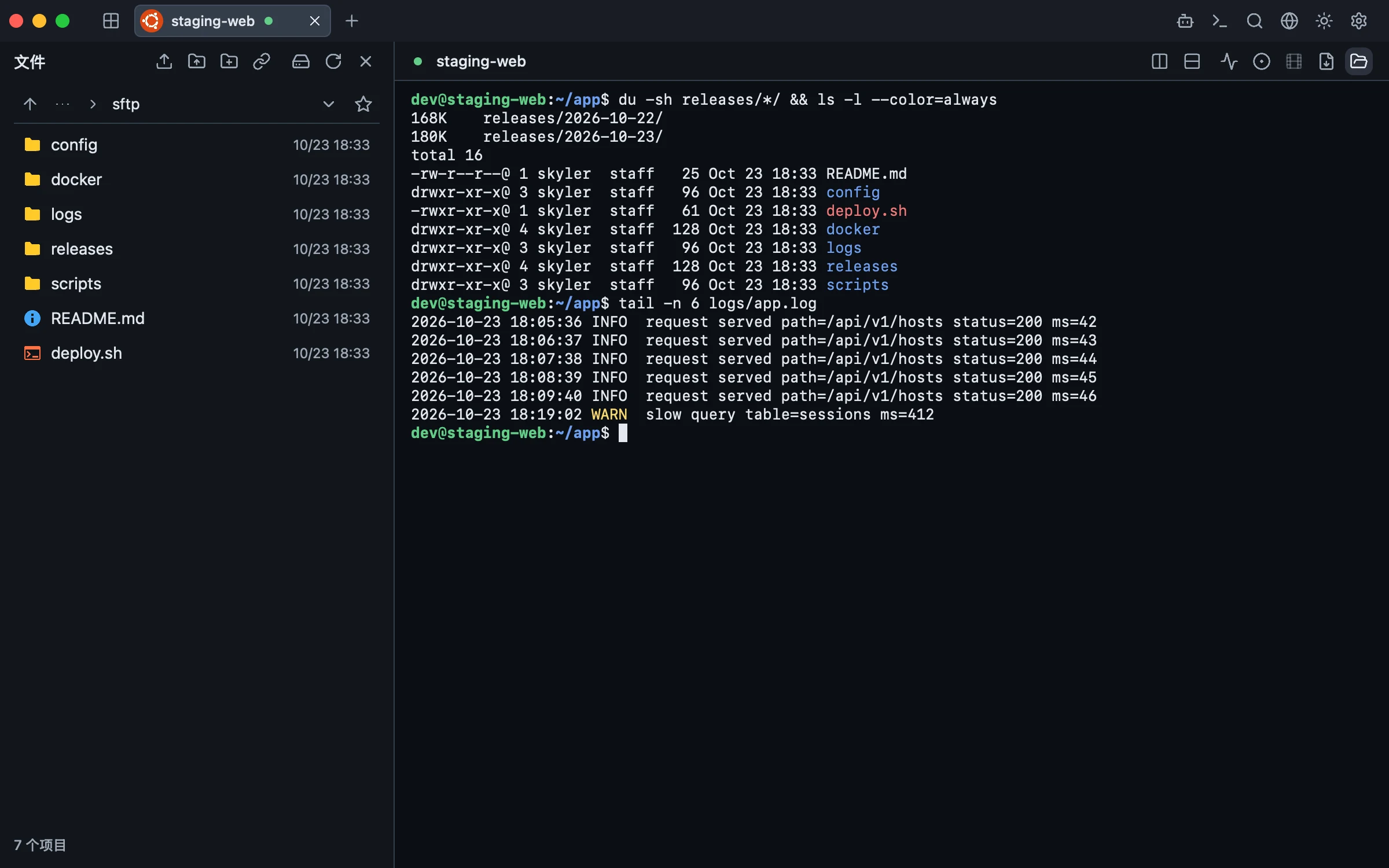
Files beside the terminal, not in another app
SFTP on the left, the shell on the right, same host and same session. Resumable transfers, atomic replacement and the editor live in the panel; a large upload keeps running in the queue without stalling the terminal.
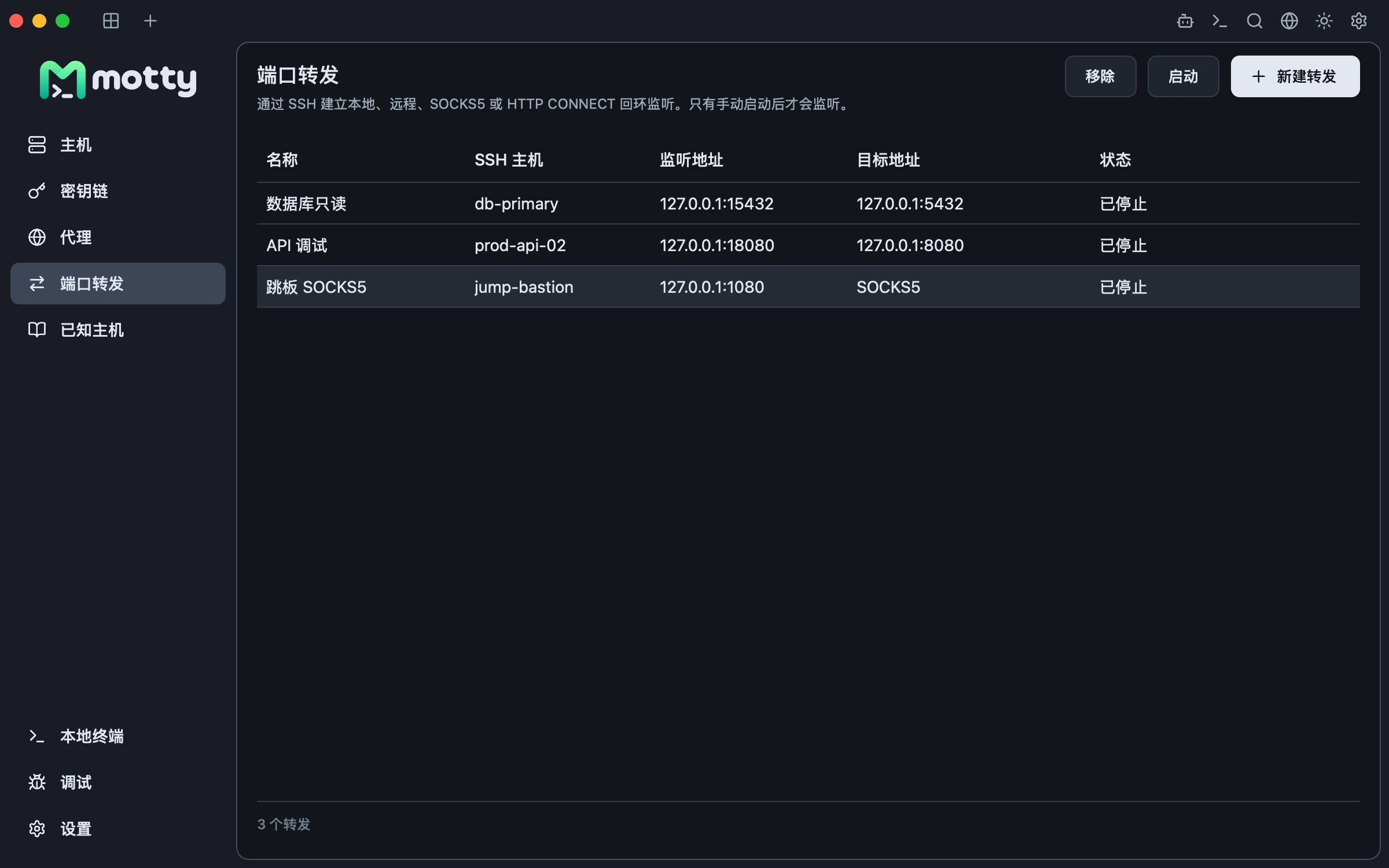
Port forwards in the UI, not in a dotfile
Local, remote, SOCKS5 and HTTP CONNECT rules in one list: listener, target and state at a glance. Nothing listens until you press start.
Principles
Native by construction
Metal, Direct3D and Vulkan directly. Fast to start, nothing running while idle.
Built for the keyboard
Tabs, splits, SFTP and the assistant are palette commands. The mouse is optional.
Honest about limits
These docs say what was verified and what was not, including protocol gaps.
Frequently asked questions
Is Motty free?
Yes. Motty is open source under the Apache-2.0 license, and the packages for macOS, Windows and Linux cost nothing to download.
Which platforms does Motty run on?
macOS on Apple silicon and Intel, Windows on x64 and arm64, and Linux on x64 and arm64. Releases carry .dmg and .zip for macOS, an installer and .zip for Windows, and .deb and .tar.gz for Linux.
Does Motty use Electron?
No. It is a native application written in Go on the Viva desktop framework, drawing through Metal, Direct3D and Vulkan. There is no embedded browser and no JavaScript layer, and nothing runs while the window is idle.
What can Motty do beyond SSH?
SFTP and SCP with a resumable queue, ZMODEM, XMODEM and YMODEM, local, remote, SOCKS5 and HTTP CONNECT forwarding with X11, jump chains, serial, Telnet and local shells, and VNC and RDP desktops in a tab.
Can an AI agent use Motty?
Yes. Ask and Agent modes run inside the app behind a risk-classified approval gate, and an optional MCP server bound to loopback lets external agents drive your sessions.